

What a MetaMask casino needs from you
At a MetaMask casino there's no account to create, but there are three things to get right before your first bet: a wallet you control, the right network, and a little gas money. Most first-time problems come from one of those three. Say you install MetaMask, buy some tokens on Ethereum and press spin: the game asks you to switch networks, the switch works, and then the bet fails because the wallet has no POL on Polygon to pay gas. Nothing is broken; one step was missed.
A MetaMask casino rewards a few minutes of preparation. So we've ordered the guides above the way the setup actually goes:
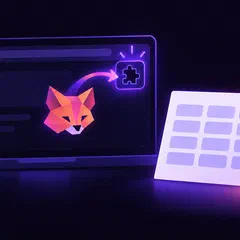
- Install a wallet. Start with how to install MetaMask. If you already use another wallet, read how to connect other wallets.
- Add Polygon. Our post on how to add Polygon to MetaMask shows the settings to check (chain ID 137, gas token POL).
- Fund the wallet with a small amount. A few cents of POL covers the gas for each bet. Read about Polygon gas fees if you want to estimate a session's cost.
- Learn the game. The roulette guide covers the layout and bet types, and the crypto slots page shows the four steps of a spin.
Signing safely: what to look at in each MetaMask window
Every bet opens a confirmation window. It's tempting to click through, but each window tells you three things worth a glance: the contract you're interacting with, the amount leaving your wallet and the network fee. If any of them looks unfamiliar, reject the transaction. Rejecting costs nothing.
Be careful with token approvals (sometimes called allowances), which let a contract move a token from your wallet up to a set amount. An approval for exactly the amount you plan to play is fine. An "unlimited" approval to a contract you don't recognise is the most common way wallets get drained. Our self-custody wallet guide explains how to keep a separate, small playing wallet so a mistake can't touch your savings.
Still stuck?
Most issues come down to the wrong network, no POL for gas or a pending transaction stuck behind a low fee. Check those three first. Before you play, it's also worth reading our responsible gambling page, which lists free, confidential help lines.
Frequently asked questions
What is a MetaMask casino?
A MetaMask casino is a casino you play by connecting a MetaMask wallet instead of opening an account. At DefiPlay, MetaMask signs each bet as a Polygon transaction and receives the wins directly.
Is it safe to connect MetaMask to a casino?
Connecting only shares your public address. The risk comes from what you sign afterwards, so read each confirmation, never approve unlimited token allowances you don't understand, and keep your playing funds in a separate wallet.
Why does MetaMask ask me to switch networks?
DefiPlay's games run on Polygon. If your wallet is on Ethereum or another network, the game asks it to switch to Polygon so the bet goes to the right contract.
What do I need in my wallet to play?
The token you want to bet and a small amount of POL, Polygon's native token, to pay gas. Gas is a few cents per bet.